


My brother almost lost customers until Tidio live chat changed everything. Last year, my brother Steve, called me at 11:00 PM on a Saturday. Almost crying, not gonna lie.
He runs a small Cake shop online. Nothing fancy, just him and a laptop, shipping out orders from his small shop next to his living room. A TikTok video of one of his cakes had blown up that afternoon, out of nowhere, the way these things do. By the time he checked his phone that day, He had 84 unread messages. Some from three days back. Some asking simple things like “do you ship to Nashville” or “is the three-layered cake in stock.” Twelve people had already left his site without buying anything, because nobody was there to answer them.
He said one line I still think about: “I built this store to be free and now it owns me.”
That’s the same Day I told him about Tidio. By Monday he was sleeping again. I’m writing this not because someone is paying me to say nice things (well, there is an affiliate link below, I’ll be upfront about that too), but because I watched what this tool actually did for one very tired small business owner, and I think it can do the same for everyone else.
If you just want to poke around while you read, Try Tidio for free. No card needed. Keep reading first though, there’s more to it than “just sign up.”
First of All, what is Tidio Live Chat?
Tidio is a small chat bubble that sits on your website. Someone visits your store, the bubble is there, ready to talk. Behind that bubble sits a full customer service setup: live chat, a shared inbox, email, tickets and an AI agent that keeps working while you’re asleep, or just done answering “where’s my order” for the fifth time today.
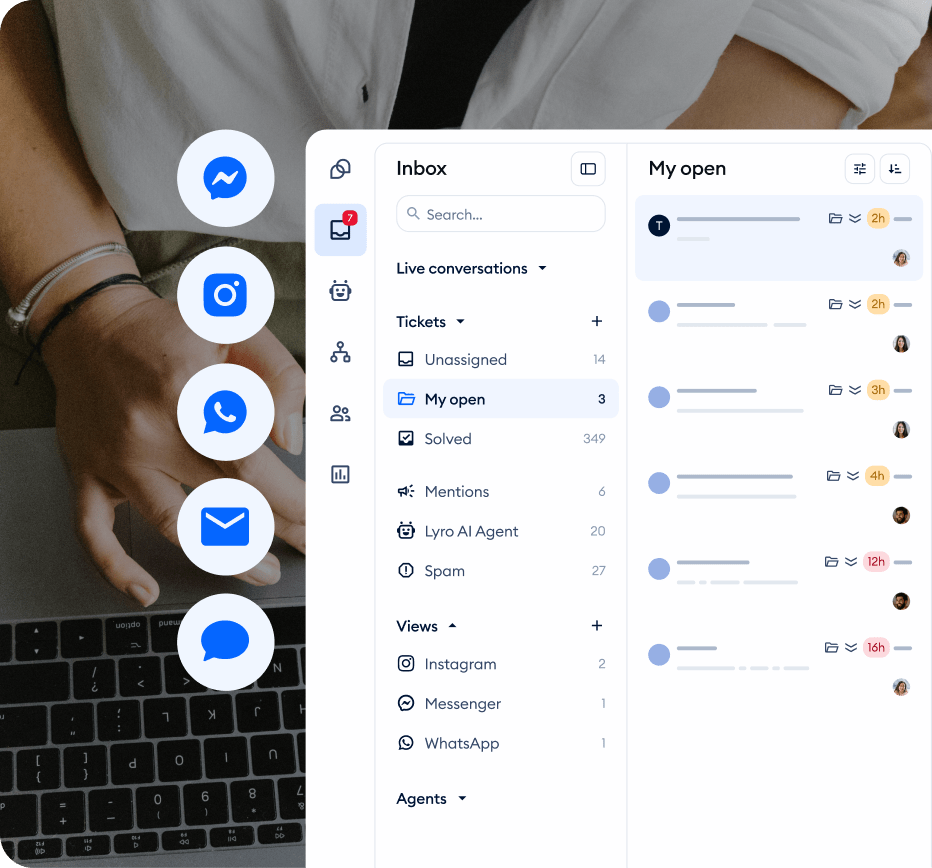
Tidio live chat connects to Facebook Messenger, Instagram and WhatsApp too, so everything lands in one inbox instead of you jumping between five apps like a headless chicken. Which, honestly was me before.
Over 300,000 businesses use Tidio live chat to manage customer queries, mostly small stores, solo founders and ecommerce brands. Not huge call centers with 500 agents. People like your brother or your neighbor who sells soap, or yourself.
Now the Interesting Setup Part
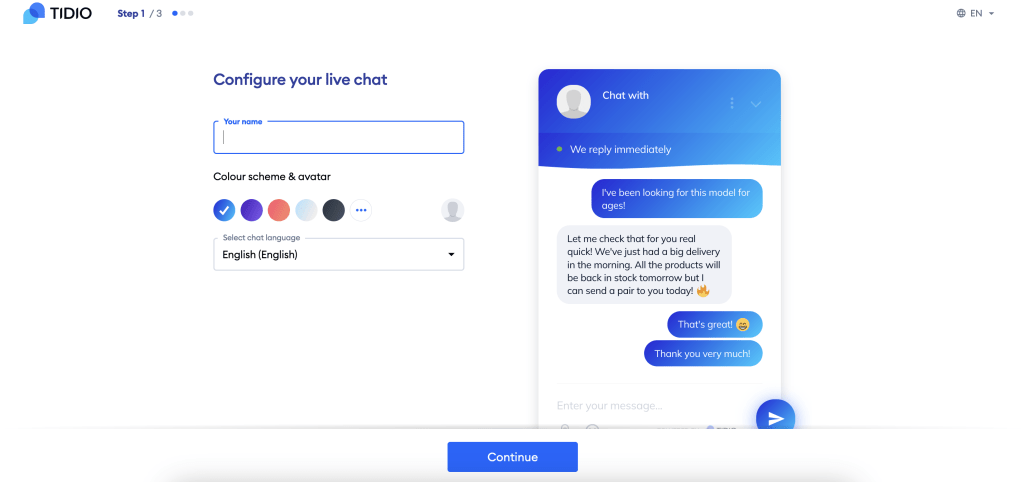
I expected a whole afternoon of fiddling. It wasn’t that. One line of code pasted into the site, or the Shopify/WordPress plugin if you’d rather not touch code at all. My brother’s widget was live before his coffee got cold, and he is not a technical person, he would be the first to admit it.
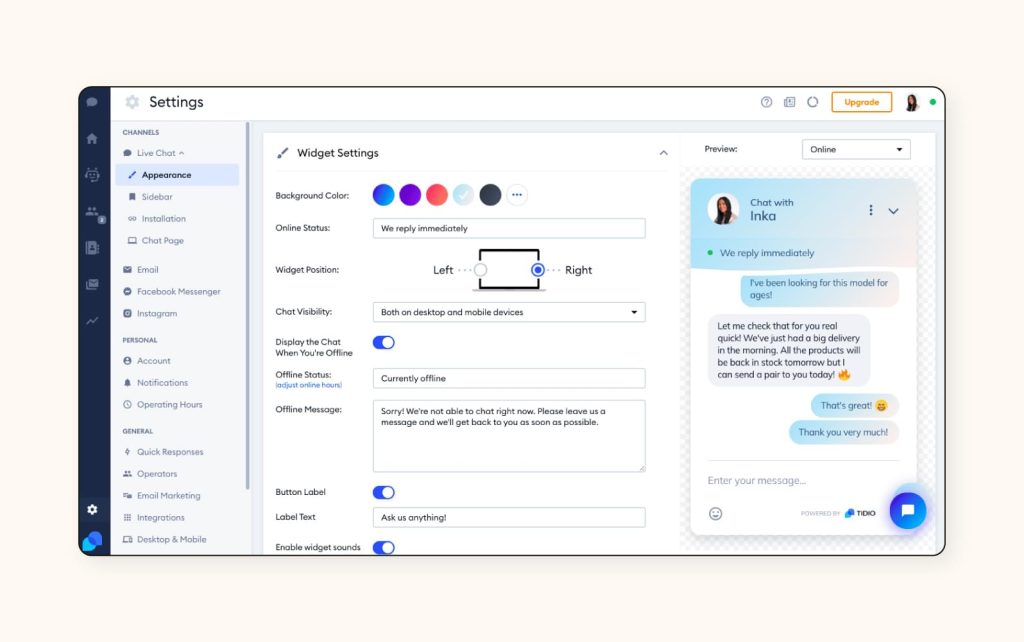
The dashboard itself doesn’t overwhelm you. You literally see who is browsing your site right now, what page they’re on, you get ready-made Chabot templates for the usual stuff like cart abandonment and FAQ, and order lookup if you’re on Shopify or WooCommerce.
Lyro AI in Tidio Live Chat
Lyro is Tidio’s AI agent, and it is not one of those old bots that only knows how to say “sorry, I didn’t understand that.” Lyro reads your help center, your FAQ page, your product info, your return policy, and it answers customers directly, in their own words, sounding like an actual person typed it.
When I first heard “AI agent” I rolled my eyes a little, I will admit. I’ve tried three if not four chatbots before that were like that one relative who confidently gives wrong directions. Sounds smart, sends the customer to the wrong place entirely.
Lyro is different. Tidio’s own numbers say Lyro resolves an average of 67% of conversations without any human touching them. I watched it on my brother’s store for two weeks straight, checking the analytics tab most days, and the number tracked close to that, mostly on the boring-but-necessary stuff: shipping times, “is this back in stock,” sizing questions, return windows. Anything genuinely complicated, or an upset customer, gets handed off to a human straight away. That’s the correct call. You don’t want a bot trying to calm down someone who’s already mad.
A few things about Lyro that surprised me:
- Lyro can update an order status, check inventory or qualify a lead, not only answer questions.
- On Shopify stores, it can show product cards right in the conversation, so a customer can add to cart without leaving the chat window. My brother’s average order value ticked up because of this. He didn’t even ask for it, it just happened.
- Lyro talks warm and casual. More formal? It adjusts. Feels like training a new hire, except the training takes twenty minutes, not two weeks.
- When Lyro can’t handle something, it alerts your team instantly instead of leaving the customer stuck in a loop.
- It works perfectly with the applications you already have like Zendesk, Salesforce, Intercom and 20+ other platforms, so you don’t need to rip out your current helpdesk to use it.
Every account gets 50 free Lyro conversations, lifetime, no card required to test it. You can see it working before you spend a dollar here: check out Lyro AI Agent.
One honest note: Your results depend a lot on what you feed it. Weak FAQ content in, weak answers out. A properly written help center in and it genuinely gets impressive.
Let’s Talk About the Cost Today!
I hate when reviews dodge the money question, so here it is straight, based on Tidio’s current pricing:
| Plan | Price | Best for |
| Free | $0/mo | 50 billable conversations, up to 10 seats, 50 lifetime Lyro conversations. Good for testing or a very small store |
| Starter | $29/mo or $24.17/mo billed yearly | 100 billable conversations, solo founders just getting real traffic |
| Growth | $59/mo or $49.17/mo billed yearly | up to 2,000 conversations, advanced analytics, auto-assignment, where most small-to-medium stores land |
| Plus | $300/mo | bigger teams, more than 10 agents, dedicated support |
| Premium | Custom, sales-negotiated | enterprise, with a guaranteed AI resolution rate written into the contract |
One thing that confused me at first, so I will save you the confusion: Lyro AI is billed a little separately from your base plan once you go past your free 50 conversations. It starts around $32 – 39/month for the first paid tier (cheaper billed yearly), and scales with volume. It’s an extra line item, not hidden exactly, just easy to miss if you’re skimming the pricing page. Budget for it, because if AI replies are your main reason for wanting Tidio, they probably should be.
Is it the cheapest tool around? No. But you’re not paying for a chat box, you’re paying for something that works while you sleep, and that’s the part that saved my brother’s weekends.
My honest tip: Start on Free, actually use up your 50 Lyro conversations, look at your resolution rate in the analytics tab, then decide if Growth plus the Lyro add-on fits your volume. Don’t jump straight to Plus unless you already know you need it.
Some Tidio Drawbacks
I will not pretend that it’s flawless, because no honest review does that.
- The jump from Growth to Plus is steep. $59 to $749, no in-between tier for mid-size teams.
- Lyro’s separate billing confused me for about a week before it clicked.
- All self-serve plans cap out at 10 agent seats, so if you are an 11-person team, you’re looking at Plus.
- Some automation features sit behind the higher tiers only.
None of these were deal breakers for us, but you should walk in knowing them.
Who Is Tidio Best for?
If you run a small online store, a service business, or you are a blogger tired of answering the same five questions on repeat, Tidio genuinely fits. If you are a huge enterprise already running deep custom integrations, you might outgrow the self-serve plans and need Premium. But for the 95% of us running small to mid-size businesses, it does the job, and does it without a computer science degree.
Does Tidio have a real free plan?
Yes, forever free, no card required, 50 conversations a month plus 50 lifetime Lyro conversations.
What is the average Lyro resolution rate?
67% of conversations resolved without a human, according to Tidio’s own data, and that number held up close to accurate on the store I watched it run on.
Does Tidio work with Shopify and WordPress?
Yes, one-click plugins for both, plus WooCommerce and Wix.
Is Lyro included free forever?
No, only the first 50 conversations are free for life. After that it’s a separate paid add-on on top of your base plan.
My Final Thought
I will not tell you that Tidio changed my brother’s whole business overnight. That would be a lie, and lies don’t help anyone to pick the right tool. What it did do was to stop him from losing sales to slow replies, gave his customers instant, accurate answers at 3:00 AM when he was asleep, and made his inbox less chaotic. He went from “sometimes 3 days” to under 30 seconds for most chats. His reviews started mentioning how fast he replies. He smiles when he reads those, because he knows it was Lyro, not him, typing at 3:00 AM.
That midnight-missed-message problem I told you about at the start? Hasn’t happened since.
If you’re on the fence, try Tidio live chat free plan and see how it transforms your customer support. Turn on Lyro. Watch your inbox for a week. You’ll know pretty quick if it fits your business the same way it fit his.
Try it here: Get Started with Tidio. If you try it, I’d genuinely like to know how it went for you.